Margin Calculator — Compare selling price, unit cost, margin, markup, target price, and break-even quantity. This free tool is designed for the specific calculation shown here; use its labels and stated limits to decide whether the result fits your question.
Open the calculator
Free business tool
Business margin calculator
See what each sale contributes and test a price that meets your target margin.
The per-unit margin includes the variable costs you enter. It does not include fixed costs, income tax or financing. Break-even is an estimate for one product or service.
Quick answer: Margin Calculator
The Margin Calculator uses the values you provide to produce a result for the task described above. Compare selling price, unit cost, margin, markup, target price, and break-even quantity. It cannot supply information that was not entered, confirm that a value is current, or decide whether a result is appropriate for a particular person, contract, jurisdiction, class assignment, or business decision. Start with the calculator itself, then use the method and limitations below to check the answer.
Inputs to check before using the Margin Calculator
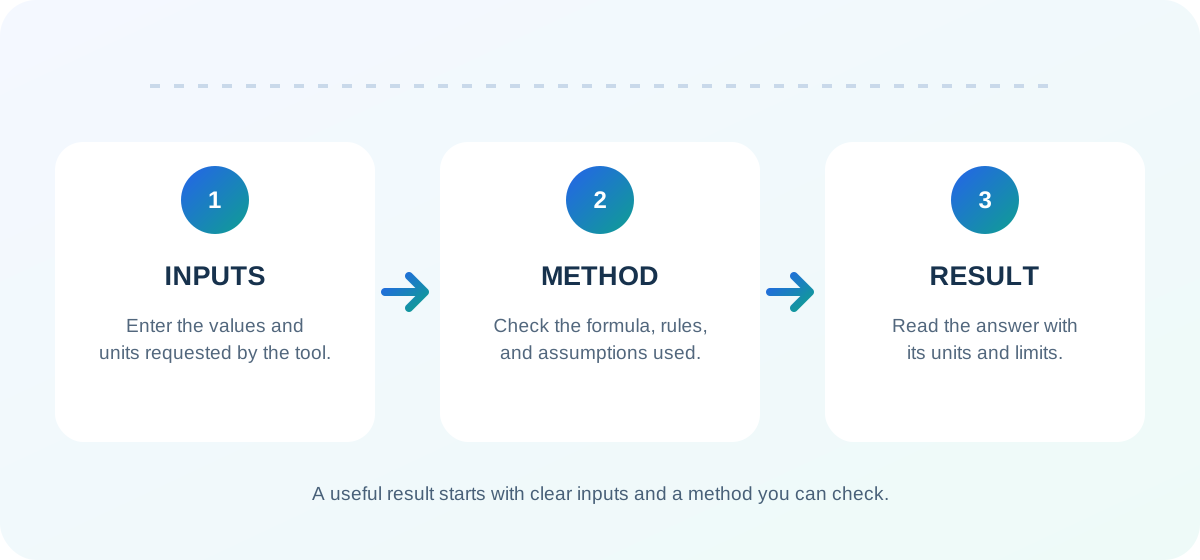
Enter selling price, variable costs, and fixed costs, then choose a target or break-even view. Read every field label before entering a value. Use the unit, currency, date range, rate period, country, or calculation mode requested by the tool when applicable. Keep related values on the same basis—for example, do not mix monthly and annual amounts or different measurement units unless the tool explicitly converts them.
If a field is optional, leave it blank unless you know the value and understand how the calculator uses it. Do not guess a missing rate, date, category, or eligibility rule. A precise-looking output can still be misleading when an input or assumption is wrong.
How to use the Margin Calculator in 3 steps
- Choose the matching mode. Select the option that describes the question you are trying to answer, and review any unit or region selector.
- Enter known values. Follow the on-screen labels and check decimal places, dates, units, and time periods before calculating.
- Review the result. Compare the displayed answer and any breakdown with the method and limitations on this page. Change one input at a time when testing another scenario.
Enter selling price, variable costs, and fixed costs, then choose a target or break-even view. If the tool provides multiple modes, read the mode name carefully: related calculators can answer different questions even when they share similar inputs. Save or note the assumptions you used if you need to compare the result later.
How the Margin Calculator calculates a result
Contribution margin is price minus variable cost; margin and markup use different denominators; break-even units round up. The method matters because it defines which inputs affect the answer and which real-world details are outside the calculation. Use the displayed result as the output of that stated method, not as proof that the source inputs or assumptions are correct.
When you compare two results, keep the method, units, date, and other settings consistent. If a rate, threshold, formula, or official rule changes over time, confirm which version applies before interpreting the number. The Margin Calculator is most useful when the question matches the scope described in its method.
How to interpret the result
Read the result together with its unit and any supporting breakdown. Check whether the calculator labels an output as an estimate, a screening value, a projection, a percentage, a date count, or a direct arithmetic result; those descriptions are not interchangeable. If the page shows intermediate values, compare them with your inputs to spot a misplaced digit or an unexpected assumption.
A result can help you understand a scenario or check a calculation, but it should not be treated as an official determination unless the relevant authority says so. If the result will affect health, tax, benefits, immigration, lending, employment, or another regulated decision, confirm it with the responsible professional or agency.
Accuracy, assumptions, and limitations
This simplified model does not include every accounting treatment, tax, inventory adjustment, or business expense. The result depends on the information entered and the scope described on this page. The calculator does not independently validate documents, current rates, personal circumstances, or official records unless the tool explicitly states otherwise.
Before relying on an output, confirm that you selected the right mode and that every required value uses the expected unit and period. For rules that vary by country, state, date, employer, lender, school, agency, or plan, use the current official guidance for the applicable context. Stop and seek qualified help when a result conflicts with official instructions or when a consequential decision depends on details the tool does not collect.
Frequently asked questions about the Margin Calculator
What does the Margin Calculator calculate?
Compare selling price, unit cost, margin, markup, target price, and break-even quantity. The exact output depends on the mode and inputs shown in the calculator.
What information should I prepare?
Enter selling price, variable costs, and fixed costs, then choose a target or break-even view. Use the labels in the tool to confirm the requested units, dates, rates, location, or other settings.
How is the result calculated?
Contribution margin is price minus variable cost; margin and markup use different denominators; break-even units round up. The method describes the calculation the tool performs; it does not verify whether your source values are complete or current.
Can I treat the result as official advice?
No. This simplified model does not include every accounting treatment, tax, inventory adjustment, or business expense. Confirm consequential or regulated decisions with the responsible professional or official source.
Why can my result change?
The Margin Calculator responds to the inputs, mode, units, dates, and assumptions selected. Change one value at a time and compare the settings as well as the final number.
Sources and further reading
Use primary references to verify rules or inputs that can change. The links below are relevant to the method or subject of this calculator; check the issuing organization for current guidance.