



You will remain on the same site
Question: Do you really need endless gear to start, or can three smart choices get you making radio-ready tracks at home?
FREE TOOL FOR THIS TOPIC
Music Producer Career Roadmap
Built specifically for readers of Best Music Production Equipment for Beginners: 2026 Picks. Answer four quick questions to receive a focused result immediately—no email required.
Music Producer Career Roadmap
Get a focused 12-month learning and portfolio plan.
Continue building your career
Use another free CareersForge resource to turn this result into your next application, resume or interview step.
I’ve seen new producers get stuck chasing shiny boxes. Honestly, you don’t have to. A capable computer, a DAW you learn, and honest headphones will get you to finished songs faster than dozens of gadgets.


Table of Contents
Table of Contents
Start with the essentials that remove friction. Plan storage early—DAW libraries eat SSD space. Use studio headphones first; monitors work only after room treatment. As your skills grow, add an audio interface, a condenser microphone, and a compact midi keyboard or midi controller.
I’ll help you cut through the noise so you buy what you ’ll need to produce music at home and build a studio that makes creative work feel simple and steady.
Got the gear? Now master the skills.
Having equipment is useless without knowledge. Start our complete certification path.
START FREE CERTIFICATION COURSE »Start Here: How to Choose Music Production Gear Without Wasting Money
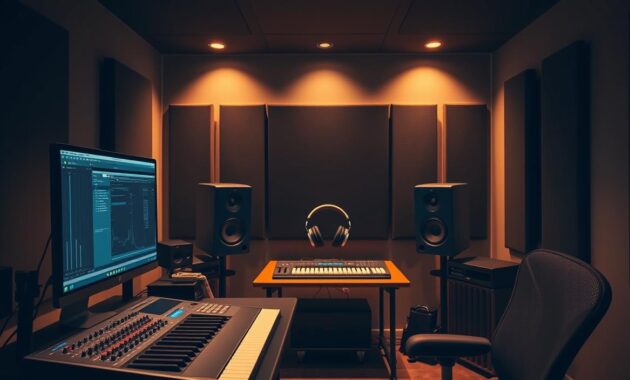
The quickest path to results is buying what removes your biggest roadblock. I tell students to set a simple budget and buy toward the bottleneck that stops their flow.
Try free or low-cost DAWs first. Cakewalk, GarageBand, and Reaper’s trial let you learn workflows without risk. Match the DAW you pick to any course or mentor you follow so you spend less time fighting software and more time finishing tracks.
- Pick one listening path: headphones first, monitors later if your room is treated.
- Upgrade the thing that actually breaks your work—slow computer over a flashy keyboard.
- Use stock plugins until you can explain why a paid plug‑in fills a real gap.
| Decision | Why it matters | Quick action | When to upgrade |
|---|---|---|---|
| DAW / software | Controls workflow and learning speed | Try free daws; follow your teacher | When workflow slows mixing or arranging |
| Headphones / monitors | How you hear mixes in a home studio | Start with quality headphones | Upgrade to monitors after room treatment |
| Computer / interface | Stability and recording I/O | Fix crashes first; add an interface if you record | When sessions drop or latency blocks tracking |
My rule: buy tools that reduce clicks, not add them. Test gear with your own projects and keep a short roadmap: computer + DAW, then headphones, then interface, mic, keyboard, and only selective plugins.
Your Studio’s Brain: Choosing the Right Computer for Making Music
A reliable computer keeps creative momentum; a slow one kills it fast. I’ve seen projects stall because of swaps between freezes and saves.
For 2026 I recommend at least 16GB RAM, a modern multi‑core CPU, and an NVMe SSD for the OS and projects. If you use heavy sample libraries or many synths, aim for 32GB+ RAM and a higher‑core CPU. That extra power saves time and preserves creative flow.
Mac vs Windows: what actually matters
Choose the OS that runs your DAW, interface drivers, and plugins reliably. Logic Pro is tightly integrated on Mac, while Windows needs careful driver checks for low latency. Stability beats brand loyalty when tracking with microphones or MIDI keyboards.
Internal vs external storage
Prioritize an internal NVMe SSD and keep libraries on a fast external SSD. Sample banks often hit 500GB+, and backups are essential. Quiet cooling and SSDs help keep headphone tracking clean.
| Use Case | Minimum (2026) | Recommended | Notes |
|---|---|---|---|
| Simple arranging | 16GB RAM, SSD, modern CPU | 16–24GB, NVMe SSD | Good for beat sketches and small sessions |
| Large sample libraries | 32GB RAM, NVMe + external SSD | 64GB RAM, multi‑core CPU | Example: 2020 MacBook Pro with 1TB + 64GB ran Logic Pro well |
| Mobile work | Laptop 16–24GB, USB‑C hub | High‑core laptop, fast external SSD | Balance power and portability |
DAW Fundamentals: Picking Software You’ll Actually Learn and Use
Choosing the right DAW is less about features and more about what you will actually use every day. I recommend starting with something you will open every session. That habit beats chasing shiny features.
Free vs paid DAWs: start smart, upgrade later
Start with low-cost or free software like GarageBand, Cakewalk, or Reaper’s generous trial. These let you build workflow and learn MIDI, editing, and basic mixing without pressure.
Popular DAWs and who they fit
- Logic Pro — great for songwriting, deep MIDI editing, and strong stock instruments.
- Ableton Live — ideal if you favor clip-based ideas and fast performance workflows.
- FL Studio — a favorite for beat makers and step sequencing.
- Reaper — flexible, low-cost, and highly customizable.
Follow your teacher or course
If you’re taking a class, use the same DAW your instructor uses. It speeds learning and reduces friction. Use stock plugins first; mastering your DAW’s tools helps you produce music faster than buying every third‑party plugin.
Hear the Truth: Headphones vs Studio Monitors for a Home Studio
A clear listening setup saves hours of guessing and bad mixes. I’ll walk you through practical choices so your ears learn, not suffer.
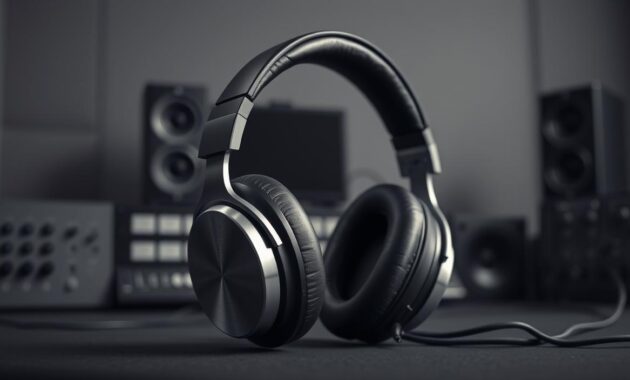
Closed‑back vs open‑back headphones: when to use each
Closed-back models lock in isolation. They’re great for tracking late at night or when neighbors are nearby.
Open-back headphones give a wider stereo field. Use them in a quiet room when you need a natural sense of sound.
Room acoustics and monitor placement basics beginners miss
Monitors reveal low end more honestly, but only if the room is treated.
- Place tweeters at ear height in an equilateral triangle with your listening position.
- Decouple monitors to reduce desk resonance and use a rug to tame reflections.
- Treat first reflections with simple panels to improve perceived quality.
Beginner‑friendly picks: ATH‑M50x, PreSonus Eris, plus alternatives
Start with headphones to avoid an untreated room. ATH‑M50x are a dependable choice that won’t overhype low end.
PreSonus Eris offers an approachable monitor option. Adam A-series or Yamaha are solid upgrades when you add treatment.
Quick tip: use reference tracks at matched levels and check mixes on extra systems—earbuds, car, and small speakers—while making music.
Record Clean Audio: Audio Interfaces Explained
A solid interface turns quiet takes into usable tracks and keeps your workflow moving. I’ve learned this the hard way: clean conversion and stable drivers matter more than chasing gadgets.
What an interface gives you: clean preamps, 48V phantom power for condensers, and reliable monitoring so tracking vocals or guitar feels simple and musical.
I/O, phantom power, and preamps: what you’ll actually use
Choose I/O to match real needs. One input handles solo vocals or a DI guitar. Two inputs let you record a singer with a guitar or stereo keys.
Latency and drivers: why Focusrite, RME, and Apollo are common picks
Driver quality controls latency and stability in your DAW. That’s why Focusrite Scarlett, RME, and Apollo show up in studios: they prioritize reliable drivers and low delay.
Beginner interfaces that punch above their price
- Focusrite Scarlett Solo/2i2 — great value with clean preamps.
- Behringer U‑Phoria UM2 — ultra‑budget, workable when money is tight.
- RME Babyface — best drivers and low latency if you need rock‑solid performance.
- Apollo Twin — premium conversion plus UAD plugins and near‑zero monitoring delay.
Practical tips: keep peaks around -12 to -6 dBFS, use direct monitoring for latency‑free tracking, and don’t buy excess channels—spend on preamp and driver quality instead.
Capture Vocals and Instruments: Condenser vs Dynamic Microphones
Choosing the right microphone shapes your sound long before you hit mixdown.
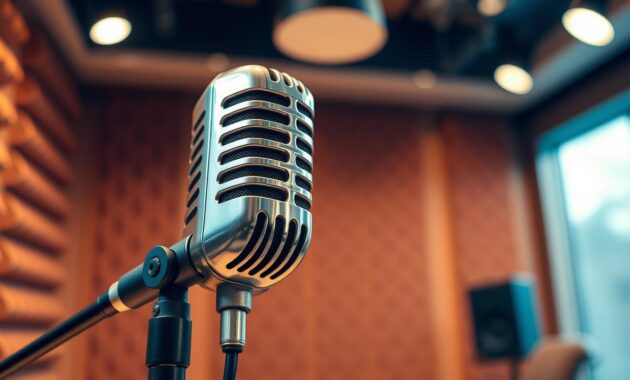
Condenser microphones are sensitive and capture detail and air. Use them on studio vocals and acoustic instruments when the room is quiet. They need 48V phantom power from an interface.
When to pick condenser or dynamic
Pick a condenser like the AT2020 or Rode NT1/NT1‑A when you want clarity and shimmer.
Choose a dynamic such as the Shure SM7B when the room is untreated or the source is loud. It rejects background noise better.
Accessories that matter
- Pop filter — tames plosives on close vocals.
- Shock mount — reduces handling and stand rumble.
- Sturdy stand and quality XLR cables to avoid hum and movement.
USB vs XLR: the long‑term tradeoff
USB mics are simple to use but limit routing and upgrade paths. XLR microphones scale with better preamps and interfaces, which improves audio as your setup grows.
| Mic Type | Strength | When to use |
|---|---|---|
| Condenser | Detailed, wide freq response | Studio vocals, acoustic guitar in a treated room |
| Dynamic | Durable, forgiving of room noise | Loud sources, untreated rooms, broadcast-style vocals |
| USB | Plug-and-play, cheap start | Podcasting or quick demos; upgrade later to XLR |
Play In Ideas Fast: MIDI Keyboards and Controllers
When a melody arrives, the right controller keeps you in flow and out of menus. A compact controller turns a sketch into a part fast. I prioritize feel, layout, and immediate mapping over flashy extras.
Key count, pads, knobs, and aftertouch: what matters
Key count affects range: 25 keys suit travel; 49+ helps hands‑on playing. Velocity sensitivity is essential for dynamics. Aftertouch adds expressive control without extra automation.
Compact travel vs desk‑center controllers
For tight desks or flights, the Alesis V25 is a smart compact option. For a central rig, the M‑Audio Oxygen 49 gives more keys and hands‑on mapping. Add a sustain pedal to improve realism.
No keyboard? Use your laptop
Many DAWs, like Logic Pro and GarageBand, offer musical typing. It’s a quick, zero‑cost tool to capture ideas when a controller isn’t at hand.
- Map knobs to filters and macros for real‑time sound shaping.
- Use light quantize and keep human feel; don’t over‑edit.
- Create templates so drum pads and synth layers load instantly.
| Use Case | Example Controller | Key Features |
|---|---|---|
| Travel sketching | Alesis V25 | 25 keys, pads, compact |
| Desk workstation | M‑Audio Oxygen 49 | 49 keys, assignable knobs, hands‑on mapping |
| No hardware | Musical typing (Logic Pro) | Immediate, built‑in, saves money |
The right controller should make you play more. If it gets you writing daily, it’s the right tool for your production workflow.
Cables, Pop Filters, and Small Essentials That Save Sessions
The difference between a usable vocal and a trash take often lives in simple accessories. I’ve learned that reliable XLR cables and a good pop filter protect the core audio chain and keep a microphone sounding honest. In a busy home studio, those small choices stop retakes and keep momentum.
Balanced runs (XLR or TRS) reject noise over longer distances. That single upgrade lifts the overall quality of your tracks and keeps sounds clean when you monitor.
- Keep spares: extra XLRs, adapters, and a mic clip — tiny failures derail sessions.
- Use velcro ties and label both ends of cables to speed troubleshooting.
- Invest in a sturdy boom stand and a shock mount to avoid droop and rumble.
- Add a headphone extension and a simple cue workflow so performers stay comfortable.
- Store accessories in one crate and keep a small toolkit (gaffer tape, screwdriver, silica gel).
Honestly, these are the items you’ll need before chasing upgrades. They make tracking less stressful and help you finish more music. Treating small risks early protects your production time and keeps sessions predictable.
Stock Sounds vs Premium: Sample Libraries and Virtual Instruments
A focused palette of sounds keeps you finishing tracks instead of endlessly browsing libraries. Start by learning the tools you already own—EQ, compression, and reverb in your DAW will shape most parts into usable arrangements.
Honestly, I’ve seen students buy a synth and still not know how to dial a basic compressor. Master stock plugins first. That knowledge saves money and improves mixes in real sessions.
Where to build your palette
- DAW tools: sculpt with EQ, tame dynamics with compression, and add depth with reverb before chasing extra plugins.
- Libraries: Native Instruments (Komplete/Kontakt), Splice, and Arcade offer trials and deep catalogs of drums, keys, and textures.
- When to upgrade: add focused plugins only when you can name what’s missing—FabFilter for surgical mixing, Xfer Serum for advanced synth design, Komplete for wide coverage.
| Source | Type | Best use |
|---|---|---|
| Native Instruments | Kontakt libraries | Orchestral, cinematic, diverse instruments |
| Splice | Sample packs | Quick loops, one-shots, modern textures |
| Output/Arcade | Loop-driven software | Inspiration, quick sketching |
Quick tip: organize libraries on a fast external SSD and tag favorites. Bounce MIDI to audio when parts are locked to reduce CPU stress. Example: pairing a stock compressor with a subtle saturator often gives 90% of the tone of an expensive chain.
Treat the Room, Not Just the Mix: Acoustics for Beginners
Small placement fixes deliver bigger gains than most mid-priced gear swaps. I learned this after fixing one reflection and hearing my mixes suddenly make sense.
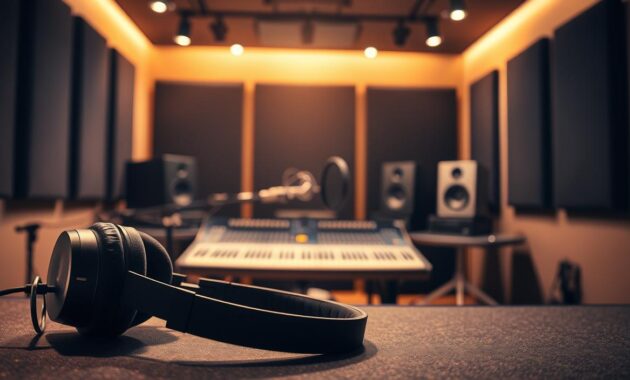
Fast improvements: listening position, basic treatment, and budget panels
Nearfield monitors are meant for close listening. Position them in an equilateral triangle and keep the tweeters at ear height.
Treat first reflections on the side walls and the ceiling. DIY rockwool panels or budget absorption panels give large returns on a small spend.
- Decouple monitors with isolation pads to reduce desk boom.
- Place a thick rug and add soft furnishings to tame flutter echo.
- Start with broadband absorption; add diffusion later once clarity is stable.
Always cross-check on headphones in an untreated room. Measure if you can — even simple apps reveal big peaks and nulls.
Example: two side panels, one ceiling cloud, and monitor isolation pads will lift the perceived quality of a small home studio quickly. Better rooms help you make better decisions, and that improves every stage of production.
Mac in 2026 vs Windows in 2026: Specs, Ports, and Compatibility
Choosing between Mac and Windows now shapes how you store libraries and connect gear. Both platforms run serious sessions, but they differ in ports, bundled software, and how they handle drivers.
Specs to target: for large sessions and heavy sample banks aim for 32GB RAM, multi‑core CPUs, and 1–2TB NVMe SSDs. That keeps sample streaming smooth and reduces dropouts during long edits.
RAM, CPU cores, and SSD sizing
Big libraries demand fast storage and headroom. Use an internal NVMe for OS and active projects, and a dedicated external SSD for sample banks.
Practical note: Macs give tight battery life and Logic Pro integration. Windows machines often offer more ports and cost options, and may suit Pro Tools or PC‑only tools.
External drives and hubs
Modern laptops pack fewer ports. Budget for a reliable USB‑C hub and card readers so your interface, drives, and controllers don’t fight for space.
- Keep a small bus‑powered SSD in your bag for mobile edits.
- Separate OS/projects from libraries to reduce bottlenecks.
- Prioritize proven drivers—RME, Focusrite, and Apollo are steady choices.
| Concern | Mac | Windows |
|---|---|---|
| DAW tie‑in | Logic Pro native, smooth updates | Pro Tools and wide DAW support |
| Ports / expandability | Fewer ports, rely on hubs | More native ports, varied configs |
| Stability & drivers | Tight hardware/software fit | Driver checks needed; tune power plans |
Test your heaviest session on any prospective machine. Real playback and tracking reveal more than specs alone. Also consider thermals and fan noise—quiet systems help you capture cleaner takes at home.
best music production equipment for beginners: Your Minimal 2026 Starter Kit
A clear, minimal kit helps you learn faster and keeps creative days productive. Start small, finish songs, then expand with purpose.
The essentials only: a reliable computer, a DAW you’ll commit to, and honest headphones (or monitors if your room is treated). These three items solve the biggest workflow problems and get you to finished tracks fast.
The essentials only: computer, DAW, headphones or monitors
Buy a stable computer with enough RAM and an SSD. Pick one DAW and learn it deeply; that habit beats chasing features.
Use headphones at first. They keep mixes repeatable in a small home studio. If you choose monitors, plan basic room treatment before upgrading your listening level.
Add when ready: audio interface, XLR mic, MIDI keyboard
Add an audio interface when you actually record. A two‑input interface covers vocals and guitar without complexity.
Choose a versatile XLR microphone (a condenser works across vocals and acoustic instruments). A compact midi keyboard unlocks songwriting—25 keys are enough to sketch parts fast. Logic’s musical typing or similar features let you start without hardware.
- Keep cabling simple: one pair of balanced speaker cables, a couple of XLRs, and a pop filter.
- Build in this order: learn DAW → finish songs → add interface → mic → keyboard.
- Start with stock plugins; clarity and arrangement beat extra plugins early on.
| Step | Why | When |
|---|---|---|
| Computer + DAW | Stability and workflow | Day one |
| Headphones / Monitors | Accurate mixing | Headphones now; monitors with treatment |
| Interface / Mic / Keyboard | Recording and performance | After finishing a few tracks |
Final note: save for quality you won’t replace and keep your workspace tidy. A repeatable setup turns intention into finished tracks and raises your level fast.
Budget Roadmaps: Build a Home Studio at Different Price Points
Start with a roadmap that matches your budget and the way you actually work. That approach keeps purchases practical and helps you finish tracks faster.
Entry-level: under $500 — what’s realistic
Under $500, prioritize a DAW and solid headphones. Use a free or low-cost DAW and a dependable pair of cans to learn mixing and arrangement.
If you need I/O, consider a Behringer UM2. Stretch to an AT2020 or an affordable Marantz mic only if vocals are essential now.
Sweet spot: $500–$1,000 — balanced, record-ready
At this level you can build a record-ready rig. I often recommend a Focusrite Scarlett Solo or 2i2 as the heart of the chain.
Pair it with ATH‑M50x headphones and an Alesis V25 midi keyboard. Add PreSonus Eris monitors if you can treat first reflections in your room.
Confident creator: $1,000–$2,000 — fewer compromises
With $1,000–$2,000 you remove many workflow bottlenecks. Invest in a stronger interface such as an Apollo or RME, starter treatment panels, and a few surgical plugins like FabFilter or Serum.
Balance spending: keep ~50–60% on the listening/recording chain (interface, microphone, headphones), 20–30% on instruments and libraries, and the rest on treatment, cables, and stands.
- Match purchases to your genre: beat makers may favor a midi controller and sample libraries; singer‑songwriters should prioritise microphone quality.
- Buy used from reputable sellers to stretch your budget and fund room treatment or a larger SSD.
- Measure success by songs finished, not boxes owned — every purchase should reduce friction or improve audible clarity.
| Tier | Core items | Example |
|---|---|---|
| Under $500 | DAW, headphones, optional budget interface | Free DAW + ATH‑M50x + Behringer UM2 |
| $500–$1,000 | Interface, headphones/monitors, compact keyboard | Focusrite Scarlett + ATH‑M50x + Alesis V25 |
| $1,000–$2,000 | Higher‑spec interface, treatment, select plugins | Apollo/RME + room panels + FabFilter/Serum |
Practical tip: avoid duplicating types of tools. Pick one vocal chain and learn it deeply before adding another mic or preamp. Keep a small contingency for cables, pop filters, and stands — those essentials keep sessions running.
For setup guidance, Avid explains how to connect and configure an audio interface in Pro Tools. Avid’s audio-interface setup guide.
Conclusion
A focused setup and steady practice beat an endless wishlist every time. Pick one DAW, reliable headphones, and a habit of finishing tracks. That simple loop trains your ear and saves time.
Add gear when it solves a real problem. A better interface, a microphone, or a compact midi keyboard expands your options. Let needs, not ads, guide purchases.
Protect your creative life: back up projects, organize sounds, and check mixes on multiple systems. Skill compounds—arrangement, gain staging, and referencing raise your level far more than swapping boxes.
I’m rooting for you. Build a tidy, stable setup that helps you show up, hit record, and make music you’re proud of.
FAQ
What core gear do I actually need to start making tracks in 2026?
How do I choose a computer for audio work without overspending?
Mac or Windows — which platform suits DAWs better?
Should I use internal storage or external drives for large sample libraries?
Which DAW should I learn first to actually progress fast?
Can I start with a free DAW and upgrade later?
Headphones or monitors—what should I buy first?
When should I choose open‑back vs closed‑back headphones?
Do I need an audio interface right away?
Which entry-level interfaces punch above their price?
Condenser or dynamic mic for vocals and instruments?
Are USB mics okay, or should I get XLR gear?
What MIDI keyboard features actually matter to me?
Can I produce without a physical keyboard?
Which small accessories save session headaches?
Should I buy premium sample libraries immediately?
Which plugins are worth adding later?
How can I quickly improve my room’s sound without major renovation?
What are realistic starter kits at different budgets?
What core gear do I actually need to start making tracks in 2026?
How do I choose a computer for audio work without overspending?
Mac or Windows — which platform suits DAWs better?
Should I use internal storage or external drives for large sample libraries?
Which DAW should I learn first to actually progress fast?
Can I start with a free DAW and upgrade later?
Headphones or monitors—what should I buy first?
When should I choose open‑back vs closed‑back headphones?
Do I need an audio interface right away?
Which entry-level interfaces punch above their price?
Condenser or dynamic mic for vocals and instruments?
Are USB mics okay, or should I get XLR gear?
What MIDI keyboard features actually matter to me?
Can I produce without a physical keyboard?
Which small accessories save session headaches?
Should I buy premium sample libraries immediately?
Which plugins are worth adding later?
How can I quickly improve my room’s sound without major renovation?
What are realistic starter kits at different budgets?
FAQ
What core gear do I actually need to start making tracks in 2026?
You only need three things to get started: a reliable computer with enough RAM and SSD storage, a DAW (Logic Pro, Ableton Live, FL Studio or GarageBand), and decent headphones or monitors. From there add an audio interface, an XLR condenser or dynamic mic, and a small MIDI keyboard as your budget and goals grow.
How do I choose a computer for audio work without overspending?
Aim for a machine with at least 16GB RAM (32GB if you work with huge sample libraries), a multi‑core processor (M-series or modern Intel/AMD), and a fast NVMe SSD. Prioritize RAM and SSD speed before buying more CPU cores unless you run massive orchestral projects.
Mac or Windows — which platform suits DAWs better?
Both work well. Macs run Logic Pro natively, which is great if you want a fast, integrated workflow. Windows gives broader hardware options and excellent DAW support (Ableton Live, FL Studio, Reaper). Pick the ecosystem that matches the DAW and plugins you plan to use.
Should I use internal storage or external drives for large sample libraries?
Use an internal NVMe SSD for your OS and active projects, and a high‑capacity external SSD for sample libraries and archives. External SSDs connected via USB‑C or Thunderbolt give the best balance of speed and portability.
Which DAW should I learn first to actually progress fast?
Choose the DAW that fits your learning path. Logic Pro is killer for songwriting and polished productions; Ableton Live favors electronic and performance workflows; FL Studio is popular for beatmakers. Reaper offers extreme value once you learn it. Follow the DAW your teacher or course uses to speed up learning.
Can I start with a free DAW and upgrade later?
Yes. GarageBand, Cakewalk, and the free version of Reaper let you learn fundamentals without big cost. Start with stock plugins, learn EQ and compression, then invest in a paid DAW or plugins when you’re ready to expand.
Headphones or monitors—what should I buy first?
Start with closed‑back headphones for recording and a reliable pair of reference headphones for mixing. Monitors come next once you can treat the room. Good headphones (e.g., Audio-Technica ATH-M50x alternatives) let you work immediately without acoustic treatment.
When should I choose open‑back vs closed‑back headphones?
Use closed‑back headphones for tracking vocals and instruments to avoid bleed. Open‑back models are better for mixing because they offer a more natural soundstage—but they leak and require a quiet environment.
Do I need an audio interface right away?
If you plan to record microphones or instruments, yes. Interfaces provide preamps, phantom power for condensers, and lower latency. If you’re producing entirely in-the-box with MIDI and samples, you can wait a bit.
Which entry-level interfaces punch above their price?
Focusrite Scarlett 2i2/Scarlett Solo and the Behringer U‑Phoria UM2 offer solid preamps, easy drivers, and low latency for small home studios. If you need pro build and low-latency drivers, consider saving for an Apollo or an RME later.
Condenser or dynamic mic for vocals and instruments?
Condensers (AT2020, Rode NT1/NT1‑A) capture detail and suit quiet treated rooms and vocals. Dynamics like the Shure SM7B excel on loud sources and untreated rooms. Choose based on source, room, and whether you have good preamp gain.
Are USB mics okay, or should I get XLR gear?
USB mics are convenient for quick demos and streaming. XLR mics paired with an interface give better long‑term flexibility and sound quality. If you plan to progress, start with an XLR setup.
What MIDI keyboard features actually matter to me?
Prioritize key feel and size (25 vs 49 keys), enough octave range, and useful controls: velocity, pitch/mod wheels, pads, and assignable knobs. Aftertouch is nice but not essential for most starters.
Can I produce without a physical keyboard?
Yes. Most DAWs let you play with computer keys or draw MIDI in the piano roll. But a small MIDI controller speeds up workflow and makes playing parts feel more natural.
Which small accessories save session headaches?
Invest in sturdy XLR cables, a pop filter, shock mount, boom stand, quality headphones for tracking, and some basic acoustic panels. These small items protect takes and reduce frustration during recording.
Should I buy premium sample libraries immediately?
No. Start with your DAW’s stock instruments and learn arranging, EQ, and compression. When you outgrow them, look to Native Instruments, Splice, and Output Arcade for focused expansions.
Which plugins are worth adding later?
Consider FabFilter for mixing tools (Pro‑Q, Pro‑C), Xfer Serum for synthesis, and Native Instruments Komplete for a broad instrument palette. Start by mastering stock effects first.
How can I quickly improve my room’s sound without major renovation?
Move your listening position slightly away from walls, place monitors at ear height forming an equilateral triangle with your seat, and add a few broadband panels at first‑reflection points. Small changes often yield big audible gains.
What are realistic starter kits at different budgets?
Under 0: basic laptop or used desktop, free DAW or GarageBand, USB mic or cheap interface, headphones. 0–
FAQ
What core gear do I actually need to start making tracks in 2026?
You only need three things to get started: a reliable computer with enough RAM and SSD storage, a DAW (Logic Pro, Ableton Live, FL Studio or GarageBand), and decent headphones or monitors. From there add an audio interface, an XLR condenser or dynamic mic, and a small MIDI keyboard as your budget and goals grow.
How do I choose a computer for audio work without overspending?
Aim for a machine with at least 16GB RAM (32GB if you work with huge sample libraries), a multi‑core processor (M-series or modern Intel/AMD), and a fast NVMe SSD. Prioritize RAM and SSD speed before buying more CPU cores unless you run massive orchestral projects.
Mac or Windows — which platform suits DAWs better?
Both work well. Macs run Logic Pro natively, which is great if you want a fast, integrated workflow. Windows gives broader hardware options and excellent DAW support (Ableton Live, FL Studio, Reaper). Pick the ecosystem that matches the DAW and plugins you plan to use.
Should I use internal storage or external drives for large sample libraries?
Use an internal NVMe SSD for your OS and active projects, and a high‑capacity external SSD for sample libraries and archives. External SSDs connected via USB‑C or Thunderbolt give the best balance of speed and portability.
Which DAW should I learn first to actually progress fast?
Choose the DAW that fits your learning path. Logic Pro is killer for songwriting and polished productions; Ableton Live favors electronic and performance workflows; FL Studio is popular for beatmakers. Reaper offers extreme value once you learn it. Follow the DAW your teacher or course uses to speed up learning.
Can I start with a free DAW and upgrade later?
Yes. GarageBand, Cakewalk, and the free version of Reaper let you learn fundamentals without big cost. Start with stock plugins, learn EQ and compression, then invest in a paid DAW or plugins when you’re ready to expand.
Headphones or monitors—what should I buy first?
Start with closed‑back headphones for recording and a reliable pair of reference headphones for mixing. Monitors come next once you can treat the room. Good headphones (e.g., Audio-Technica ATH-M50x alternatives) let you work immediately without acoustic treatment.
When should I choose open‑back vs closed‑back headphones?
Use closed‑back headphones for tracking vocals and instruments to avoid bleed. Open‑back models are better for mixing because they offer a more natural soundstage—but they leak and require a quiet environment.
Do I need an audio interface right away?
If you plan to record microphones or instruments, yes. Interfaces provide preamps, phantom power for condensers, and lower latency. If you’re producing entirely in-the-box with MIDI and samples, you can wait a bit.
Which entry-level interfaces punch above their price?
Focusrite Scarlett 2i2/Scarlett Solo and the Behringer U‑Phoria UM2 offer solid preamps, easy drivers, and low latency for small home studios. If you need pro build and low-latency drivers, consider saving for an Apollo or an RME later.
Condenser or dynamic mic for vocals and instruments?
Condensers (AT2020, Rode NT1/NT1‑A) capture detail and suit quiet treated rooms and vocals. Dynamics like the Shure SM7B excel on loud sources and untreated rooms. Choose based on source, room, and whether you have good preamp gain.
Are USB mics okay, or should I get XLR gear?
USB mics are convenient for quick demos and streaming. XLR mics paired with an interface give better long‑term flexibility and sound quality. If you plan to progress, start with an XLR setup.
What MIDI keyboard features actually matter to me?
Prioritize key feel and size (25 vs 49 keys), enough octave range, and useful controls: velocity, pitch/mod wheels, pads, and assignable knobs. Aftertouch is nice but not essential for most starters.
Can I produce without a physical keyboard?
Yes. Most DAWs let you play with computer keys or draw MIDI in the piano roll. But a small MIDI controller speeds up workflow and makes playing parts feel more natural.
Which small accessories save session headaches?
Invest in sturdy XLR cables, a pop filter, shock mount, boom stand, quality headphones for tracking, and some basic acoustic panels. These small items protect takes and reduce frustration during recording.
Should I buy premium sample libraries immediately?
No. Start with your DAW’s stock instruments and learn arranging, EQ, and compression. When you outgrow them, look to Native Instruments, Splice, and Output Arcade for focused expansions.
Which plugins are worth adding later?
Consider FabFilter for mixing tools (Pro‑Q, Pro‑C), Xfer Serum for synthesis, and Native Instruments Komplete for a broad instrument palette. Start by mastering stock effects first.
How can I quickly improve my room’s sound without major renovation?
Move your listening position slightly away from walls, place monitors at ear height forming an equilateral triangle with your seat, and add a few broadband panels at first‑reflection points. Small changes often yield big audible gains.
What are realistic starter kits at different budgets?
Under $500: basic laptop or used desktop, free DAW or GarageBand, USB mic or cheap interface, headphones. $500–$1,000: modern SSD laptop, paid DAW, Focusrite Scarlett, entry condenser, small MIDI controller. $1,000–$2,000: fast Mac or PC, better monitors, Apollo/Scarlett upgrade, Shure SM7B or Rode NT1, expanded plugins.
How do I avoid wasting money when buying gear?
Buy what solves your current bottleneck. If you can’t hear mixes, improve monitors or room treatment. If you can’t record clean vocals, upgrade mic/interface. I’ve seen learners buy shiny synths before they could place a chord—follow needs, not impulses.
,000: modern SSD laptop, paid DAW, Focusrite Scarlett, entry condenser, small MIDI controller.
FAQ
What core gear do I actually need to start making tracks in 2026?
You only need three things to get started: a reliable computer with enough RAM and SSD storage, a DAW (Logic Pro, Ableton Live, FL Studio or GarageBand), and decent headphones or monitors. From there add an audio interface, an XLR condenser or dynamic mic, and a small MIDI keyboard as your budget and goals grow.
How do I choose a computer for audio work without overspending?
Aim for a machine with at least 16GB RAM (32GB if you work with huge sample libraries), a multi‑core processor (M-series or modern Intel/AMD), and a fast NVMe SSD. Prioritize RAM and SSD speed before buying more CPU cores unless you run massive orchestral projects.
Mac or Windows — which platform suits DAWs better?
Both work well. Macs run Logic Pro natively, which is great if you want a fast, integrated workflow. Windows gives broader hardware options and excellent DAW support (Ableton Live, FL Studio, Reaper). Pick the ecosystem that matches the DAW and plugins you plan to use.
Should I use internal storage or external drives for large sample libraries?
Use an internal NVMe SSD for your OS and active projects, and a high‑capacity external SSD for sample libraries and archives. External SSDs connected via USB‑C or Thunderbolt give the best balance of speed and portability.
Which DAW should I learn first to actually progress fast?
Choose the DAW that fits your learning path. Logic Pro is killer for songwriting and polished productions; Ableton Live favors electronic and performance workflows; FL Studio is popular for beatmakers. Reaper offers extreme value once you learn it. Follow the DAW your teacher or course uses to speed up learning.
Can I start with a free DAW and upgrade later?
Yes. GarageBand, Cakewalk, and the free version of Reaper let you learn fundamentals without big cost. Start with stock plugins, learn EQ and compression, then invest in a paid DAW or plugins when you’re ready to expand.
Headphones or monitors—what should I buy first?
Start with closed‑back headphones for recording and a reliable pair of reference headphones for mixing. Monitors come next once you can treat the room. Good headphones (e.g., Audio-Technica ATH-M50x alternatives) let you work immediately without acoustic treatment.
When should I choose open‑back vs closed‑back headphones?
Use closed‑back headphones for tracking vocals and instruments to avoid bleed. Open‑back models are better for mixing because they offer a more natural soundstage—but they leak and require a quiet environment.
Do I need an audio interface right away?
If you plan to record microphones or instruments, yes. Interfaces provide preamps, phantom power for condensers, and lower latency. If you’re producing entirely in-the-box with MIDI and samples, you can wait a bit.
Which entry-level interfaces punch above their price?
Focusrite Scarlett 2i2/Scarlett Solo and the Behringer U‑Phoria UM2 offer solid preamps, easy drivers, and low latency for small home studios. If you need pro build and low-latency drivers, consider saving for an Apollo or an RME later.
Condenser or dynamic mic for vocals and instruments?
Condensers (AT2020, Rode NT1/NT1‑A) capture detail and suit quiet treated rooms and vocals. Dynamics like the Shure SM7B excel on loud sources and untreated rooms. Choose based on source, room, and whether you have good preamp gain.
Are USB mics okay, or should I get XLR gear?
USB mics are convenient for quick demos and streaming. XLR mics paired with an interface give better long‑term flexibility and sound quality. If you plan to progress, start with an XLR setup.
What MIDI keyboard features actually matter to me?
Prioritize key feel and size (25 vs 49 keys), enough octave range, and useful controls: velocity, pitch/mod wheels, pads, and assignable knobs. Aftertouch is nice but not essential for most starters.
Can I produce without a physical keyboard?
Yes. Most DAWs let you play with computer keys or draw MIDI in the piano roll. But a small MIDI controller speeds up workflow and makes playing parts feel more natural.
Which small accessories save session headaches?
Invest in sturdy XLR cables, a pop filter, shock mount, boom stand, quality headphones for tracking, and some basic acoustic panels. These small items protect takes and reduce frustration during recording.
Should I buy premium sample libraries immediately?
No. Start with your DAW’s stock instruments and learn arranging, EQ, and compression. When you outgrow them, look to Native Instruments, Splice, and Output Arcade for focused expansions.
Which plugins are worth adding later?
Consider FabFilter for mixing tools (Pro‑Q, Pro‑C), Xfer Serum for synthesis, and Native Instruments Komplete for a broad instrument palette. Start by mastering stock effects first.
How can I quickly improve my room’s sound without major renovation?
Move your listening position slightly away from walls, place monitors at ear height forming an equilateral triangle with your seat, and add a few broadband panels at first‑reflection points. Small changes often yield big audible gains.
What are realistic starter kits at different budgets?
Under $500: basic laptop or used desktop, free DAW or GarageBand, USB mic or cheap interface, headphones. $500–$1,000: modern SSD laptop, paid DAW, Focusrite Scarlett, entry condenser, small MIDI controller. $1,000–$2,000: fast Mac or PC, better monitors, Apollo/Scarlett upgrade, Shure SM7B or Rode NT1, expanded plugins.
How do I avoid wasting money when buying gear?
Buy what solves your current bottleneck. If you can’t hear mixes, improve monitors or room treatment. If you can’t record clean vocals, upgrade mic/interface. I’ve seen learners buy shiny synths before they could place a chord—follow needs, not impulses.
,000–,000: fast Mac or PC, better monitors, Apollo/Scarlett upgrade, Shure SM7B or Rode NT1, expanded plugins.
How do I avoid wasting money when buying gear?
Buy what solves your current bottleneck. If you can’t hear mixes, improve monitors or room treatment. If you can’t record clean vocals, upgrade mic/interface. I’ve seen learners buy shiny synths before they could place a chord—follow needs, not impulses.
FAQ
What core gear do I actually need to start making tracks in 2026?
You only need three things to get started: a reliable computer with enough RAM and SSD storage, a DAW (Logic Pro, Ableton Live, FL Studio or GarageBand), and decent headphones or monitors. From there add an audio interface, an XLR condenser or dynamic mic, and a small MIDI keyboard as your budget and goals grow.
How do I choose a computer for audio work without overspending?
Aim for a machine with at least 16GB RAM (32GB if you work with huge sample libraries), a multi‑core processor (M-series or modern Intel/AMD), and a fast NVMe SSD. Prioritize RAM and SSD speed before buying more CPU cores unless you run massive orchestral projects.
Mac or Windows — which platform suits DAWs better?
Both work well. Macs run Logic Pro natively, which is great if you want a fast, integrated workflow. Windows gives broader hardware options and excellent DAW support (Ableton Live, FL Studio, Reaper). Pick the ecosystem that matches the DAW and plugins you plan to use.
Should I use internal storage or external drives for large sample libraries?
Use an internal NVMe SSD for your OS and active projects, and a high‑capacity external SSD for sample libraries and archives. External SSDs connected via USB‑C or Thunderbolt give the best balance of speed and portability.
Which DAW should I learn first to actually progress fast?
Choose the DAW that fits your learning path. Logic Pro is killer for songwriting and polished productions; Ableton Live favors electronic and performance workflows; FL Studio is popular for beatmakers. Reaper offers extreme value once you learn it. Follow the DAW your teacher or course uses to speed up learning.
Can I start with a free DAW and upgrade later?
Yes. GarageBand, Cakewalk, and the free version of Reaper let you learn fundamentals without big cost. Start with stock plugins, learn EQ and compression, then invest in a paid DAW or plugins when you’re ready to expand.
Headphones or monitors—what should I buy first?
Start with closed‑back headphones for recording and a reliable pair of reference headphones for mixing. Monitors come next once you can treat the room. Good headphones (e.g., Audio-Technica ATH-M50x alternatives) let you work immediately without acoustic treatment.
When should I choose open‑back vs closed‑back headphones?
Use closed‑back headphones for tracking vocals and instruments to avoid bleed. Open‑back models are better for mixing because they offer a more natural soundstage—but they leak and require a quiet environment.
Do I need an audio interface right away?
If you plan to record microphones or instruments, yes. Interfaces provide preamps, phantom power for condensers, and lower latency. If you’re producing entirely in-the-box with MIDI and samples, you can wait a bit.
Which entry-level interfaces punch above their price?
Focusrite Scarlett 2i2/Scarlett Solo and the Behringer U‑Phoria UM2 offer solid preamps, easy drivers, and low latency for small home studios. If you need pro build and low-latency drivers, consider saving for an Apollo or an RME later.
Condenser or dynamic mic for vocals and instruments?
Condensers (AT2020, Rode NT1/NT1‑A) capture detail and suit quiet treated rooms and vocals. Dynamics like the Shure SM7B excel on loud sources and untreated rooms. Choose based on source, room, and whether you have good preamp gain.
Are USB mics okay, or should I get XLR gear?
USB mics are convenient for quick demos and streaming. XLR mics paired with an interface give better long‑term flexibility and sound quality. If you plan to progress, start with an XLR setup.
What MIDI keyboard features actually matter to me?
Prioritize key feel and size (25 vs 49 keys), enough octave range, and useful controls: velocity, pitch/mod wheels, pads, and assignable knobs. Aftertouch is nice but not essential for most starters.
Can I produce without a physical keyboard?
Yes. Most DAWs let you play with computer keys or draw MIDI in the piano roll. But a small MIDI controller speeds up workflow and makes playing parts feel more natural.
Which small accessories save session headaches?
Invest in sturdy XLR cables, a pop filter, shock mount, boom stand, quality headphones for tracking, and some basic acoustic panels. These small items protect takes and reduce frustration during recording.
Should I buy premium sample libraries immediately?
No. Start with your DAW’s stock instruments and learn arranging, EQ, and compression. When you outgrow them, look to Native Instruments, Splice, and Output Arcade for focused expansions.
Which plugins are worth adding later?
Consider FabFilter for mixing tools (Pro‑Q, Pro‑C), Xfer Serum for synthesis, and Native Instruments Komplete for a broad instrument palette. Start by mastering stock effects first.
How can I quickly improve my room’s sound without major renovation?
Move your listening position slightly away from walls, place monitors at ear height forming an equilateral triangle with your seat, and add a few broadband panels at first‑reflection points. Small changes often yield big audible gains.
What are realistic starter kits at different budgets?
Under 0: basic laptop or used desktop, free DAW or GarageBand, USB mic or cheap interface, headphones. 0–
FAQ
What core gear do I actually need to start making tracks in 2026?
You only need three things to get started: a reliable computer with enough RAM and SSD storage, a DAW (Logic Pro, Ableton Live, FL Studio or GarageBand), and decent headphones or monitors. From there add an audio interface, an XLR condenser or dynamic mic, and a small MIDI keyboard as your budget and goals grow.
How do I choose a computer for audio work without overspending?
Aim for a machine with at least 16GB RAM (32GB if you work with huge sample libraries), a multi‑core processor (M-series or modern Intel/AMD), and a fast NVMe SSD. Prioritize RAM and SSD speed before buying more CPU cores unless you run massive orchestral projects.
Mac or Windows — which platform suits DAWs better?
Both work well. Macs run Logic Pro natively, which is great if you want a fast, integrated workflow. Windows gives broader hardware options and excellent DAW support (Ableton Live, FL Studio, Reaper). Pick the ecosystem that matches the DAW and plugins you plan to use.
Should I use internal storage or external drives for large sample libraries?
Use an internal NVMe SSD for your OS and active projects, and a high‑capacity external SSD for sample libraries and archives. External SSDs connected via USB‑C or Thunderbolt give the best balance of speed and portability.
Which DAW should I learn first to actually progress fast?
Choose the DAW that fits your learning path. Logic Pro is killer for songwriting and polished productions; Ableton Live favors electronic and performance workflows; FL Studio is popular for beatmakers. Reaper offers extreme value once you learn it. Follow the DAW your teacher or course uses to speed up learning.
Can I start with a free DAW and upgrade later?
Yes. GarageBand, Cakewalk, and the free version of Reaper let you learn fundamentals without big cost. Start with stock plugins, learn EQ and compression, then invest in a paid DAW or plugins when you’re ready to expand.
Headphones or monitors—what should I buy first?
Start with closed‑back headphones for recording and a reliable pair of reference headphones for mixing. Monitors come next once you can treat the room. Good headphones (e.g., Audio-Technica ATH-M50x alternatives) let you work immediately without acoustic treatment.
When should I choose open‑back vs closed‑back headphones?
Use closed‑back headphones for tracking vocals and instruments to avoid bleed. Open‑back models are better for mixing because they offer a more natural soundstage—but they leak and require a quiet environment.
Do I need an audio interface right away?
If you plan to record microphones or instruments, yes. Interfaces provide preamps, phantom power for condensers, and lower latency. If you’re producing entirely in-the-box with MIDI and samples, you can wait a bit.
Which entry-level interfaces punch above their price?
Focusrite Scarlett 2i2/Scarlett Solo and the Behringer U‑Phoria UM2 offer solid preamps, easy drivers, and low latency for small home studios. If you need pro build and low-latency drivers, consider saving for an Apollo or an RME later.
Condenser or dynamic mic for vocals and instruments?
Condensers (AT2020, Rode NT1/NT1‑A) capture detail and suit quiet treated rooms and vocals. Dynamics like the Shure SM7B excel on loud sources and untreated rooms. Choose based on source, room, and whether you have good preamp gain.
Are USB mics okay, or should I get XLR gear?
USB mics are convenient for quick demos and streaming. XLR mics paired with an interface give better long‑term flexibility and sound quality. If you plan to progress, start with an XLR setup.
What MIDI keyboard features actually matter to me?
Prioritize key feel and size (25 vs 49 keys), enough octave range, and useful controls: velocity, pitch/mod wheels, pads, and assignable knobs. Aftertouch is nice but not essential for most starters.
Can I produce without a physical keyboard?
Yes. Most DAWs let you play with computer keys or draw MIDI in the piano roll. But a small MIDI controller speeds up workflow and makes playing parts feel more natural.
Which small accessories save session headaches?
Invest in sturdy XLR cables, a pop filter, shock mount, boom stand, quality headphones for tracking, and some basic acoustic panels. These small items protect takes and reduce frustration during recording.
Should I buy premium sample libraries immediately?
No. Start with your DAW’s stock instruments and learn arranging, EQ, and compression. When you outgrow them, look to Native Instruments, Splice, and Output Arcade for focused expansions.
Which plugins are worth adding later?
Consider FabFilter for mixing tools (Pro‑Q, Pro‑C), Xfer Serum for synthesis, and Native Instruments Komplete for a broad instrument palette. Start by mastering stock effects first.
How can I quickly improve my room’s sound without major renovation?
Move your listening position slightly away from walls, place monitors at ear height forming an equilateral triangle with your seat, and add a few broadband panels at first‑reflection points. Small changes often yield big audible gains.
What are realistic starter kits at different budgets?
Under $500: basic laptop or used desktop, free DAW or GarageBand, USB mic or cheap interface, headphones. $500–$1,000: modern SSD laptop, paid DAW, Focusrite Scarlett, entry condenser, small MIDI controller. $1,000–$2,000: fast Mac or PC, better monitors, Apollo/Scarlett upgrade, Shure SM7B or Rode NT1, expanded plugins.
How do I avoid wasting money when buying gear?
Buy what solves your current bottleneck. If you can’t hear mixes, improve monitors or room treatment. If you can’t record clean vocals, upgrade mic/interface. I’ve seen learners buy shiny synths before they could place a chord—follow needs, not impulses.
,000: modern SSD laptop, paid DAW, Focusrite Scarlett, entry condenser, small MIDI controller.
FAQ
What core gear do I actually need to start making tracks in 2026?
You only need three things to get started: a reliable computer with enough RAM and SSD storage, a DAW (Logic Pro, Ableton Live, FL Studio or GarageBand), and decent headphones or monitors. From there add an audio interface, an XLR condenser or dynamic mic, and a small MIDI keyboard as your budget and goals grow.
How do I choose a computer for audio work without overspending?
Aim for a machine with at least 16GB RAM (32GB if you work with huge sample libraries), a multi‑core processor (M-series or modern Intel/AMD), and a fast NVMe SSD. Prioritize RAM and SSD speed before buying more CPU cores unless you run massive orchestral projects.
Mac or Windows — which platform suits DAWs better?
Both work well. Macs run Logic Pro natively, which is great if you want a fast, integrated workflow. Windows gives broader hardware options and excellent DAW support (Ableton Live, FL Studio, Reaper). Pick the ecosystem that matches the DAW and plugins you plan to use.
Should I use internal storage or external drives for large sample libraries?
Use an internal NVMe SSD for your OS and active projects, and a high‑capacity external SSD for sample libraries and archives. External SSDs connected via USB‑C or Thunderbolt give the best balance of speed and portability.
Which DAW should I learn first to actually progress fast?
Choose the DAW that fits your learning path. Logic Pro is killer for songwriting and polished productions; Ableton Live favors electronic and performance workflows; FL Studio is popular for beatmakers. Reaper offers extreme value once you learn it. Follow the DAW your teacher or course uses to speed up learning.
Can I start with a free DAW and upgrade later?
Yes. GarageBand, Cakewalk, and the free version of Reaper let you learn fundamentals without big cost. Start with stock plugins, learn EQ and compression, then invest in a paid DAW or plugins when you’re ready to expand.
Headphones or monitors—what should I buy first?
Start with closed‑back headphones for recording and a reliable pair of reference headphones for mixing. Monitors come next once you can treat the room. Good headphones (e.g., Audio-Technica ATH-M50x alternatives) let you work immediately without acoustic treatment.
When should I choose open‑back vs closed‑back headphones?
Use closed‑back headphones for tracking vocals and instruments to avoid bleed. Open‑back models are better for mixing because they offer a more natural soundstage—but they leak and require a quiet environment.
Do I need an audio interface right away?
If you plan to record microphones or instruments, yes. Interfaces provide preamps, phantom power for condensers, and lower latency. If you’re producing entirely in-the-box with MIDI and samples, you can wait a bit.
Which entry-level interfaces punch above their price?
Focusrite Scarlett 2i2/Scarlett Solo and the Behringer U‑Phoria UM2 offer solid preamps, easy drivers, and low latency for small home studios. If you need pro build and low-latency drivers, consider saving for an Apollo or an RME later.
Condenser or dynamic mic for vocals and instruments?
Condensers (AT2020, Rode NT1/NT1‑A) capture detail and suit quiet treated rooms and vocals. Dynamics like the Shure SM7B excel on loud sources and untreated rooms. Choose based on source, room, and whether you have good preamp gain.
Are USB mics okay, or should I get XLR gear?
USB mics are convenient for quick demos and streaming. XLR mics paired with an interface give better long‑term flexibility and sound quality. If you plan to progress, start with an XLR setup.
What MIDI keyboard features actually matter to me?
Prioritize key feel and size (25 vs 49 keys), enough octave range, and useful controls: velocity, pitch/mod wheels, pads, and assignable knobs. Aftertouch is nice but not essential for most starters.
Can I produce without a physical keyboard?
Yes. Most DAWs let you play with computer keys or draw MIDI in the piano roll. But a small MIDI controller speeds up workflow and makes playing parts feel more natural.
Which small accessories save session headaches?
Invest in sturdy XLR cables, a pop filter, shock mount, boom stand, quality headphones for tracking, and some basic acoustic panels. These small items protect takes and reduce frustration during recording.
Should I buy premium sample libraries immediately?
No. Start with your DAW’s stock instruments and learn arranging, EQ, and compression. When you outgrow them, look to Native Instruments, Splice, and Output Arcade for focused expansions.
Which plugins are worth adding later?
Consider FabFilter for mixing tools (Pro‑Q, Pro‑C), Xfer Serum for synthesis, and Native Instruments Komplete for a broad instrument palette. Start by mastering stock effects first.
How can I quickly improve my room’s sound without major renovation?
Move your listening position slightly away from walls, place monitors at ear height forming an equilateral triangle with your seat, and add a few broadband panels at first‑reflection points. Small changes often yield big audible gains.
What are realistic starter kits at different budgets?
Under $500: basic laptop or used desktop, free DAW or GarageBand, USB mic or cheap interface, headphones. $500–$1,000: modern SSD laptop, paid DAW, Focusrite Scarlett, entry condenser, small MIDI controller. $1,000–$2,000: fast Mac or PC, better monitors, Apollo/Scarlett upgrade, Shure SM7B or Rode NT1, expanded plugins.
How do I avoid wasting money when buying gear?
Buy what solves your current bottleneck. If you can’t hear mixes, improve monitors or room treatment. If you can’t record clean vocals, upgrade mic/interface. I’ve seen learners buy shiny synths before they could place a chord—follow needs, not impulses.
,000–,000: fast Mac or PC, better monitors, Apollo/Scarlett upgrade, Shure SM7B or Rode NT1, expanded plugins.
How do I avoid wasting money when buying gear?
Buy what solves your current bottleneck. If you can’t hear mixes, improve monitors or room treatment. If you can’t record clean vocals, upgrade mic/interface. I’ve seen learners buy shiny synths before they could place a chord—follow needs, not impulses.
How do I avoid wasting money when buying gear?
What core gear do I actually need to start making tracks in 2026?
How do I choose a computer for audio work without overspending?
Mac or Windows — which platform suits DAWs better?
Should I use internal storage or external drives for large sample libraries?
Which DAW should I learn first to actually progress fast?
Can I start with a free DAW and upgrade later?
Headphones or monitors—what should I buy first?
When should I choose open‑back vs closed‑back headphones?
Do I need an audio interface right away?
Which entry-level interfaces punch above their price?
Condenser or dynamic mic for vocals and instruments?
Are USB mics okay, or should I get XLR gear?
What MIDI keyboard features actually matter to me?
Can I produce without a physical keyboard?
Which small accessories save session headaches?
Should I buy premium sample libraries immediately?
Which plugins are worth adding later?
How can I quickly improve my room’s sound without major renovation?
What are realistic starter kits at different budgets?
FAQ
What core gear do I actually need to start making tracks in 2026?
You only need three things to get started: a reliable computer with enough RAM and SSD storage, a DAW (Logic Pro, Ableton Live, FL Studio or GarageBand), and decent headphones or monitors. From there add an audio interface, an XLR condenser or dynamic mic, and a small MIDI keyboard as your budget and goals grow.
How do I choose a computer for audio work without overspending?
Aim for a machine with at least 16GB RAM (32GB if you work with huge sample libraries), a multi‑core processor (M-series or modern Intel/AMD), and a fast NVMe SSD. Prioritize RAM and SSD speed before buying more CPU cores unless you run massive orchestral projects.
Mac or Windows — which platform suits DAWs better?
Both work well. Macs run Logic Pro natively, which is great if you want a fast, integrated workflow. Windows gives broader hardware options and excellent DAW support (Ableton Live, FL Studio, Reaper). Pick the ecosystem that matches the DAW and plugins you plan to use.
Should I use internal storage or external drives for large sample libraries?
Use an internal NVMe SSD for your OS and active projects, and a high‑capacity external SSD for sample libraries and archives. External SSDs connected via USB‑C or Thunderbolt give the best balance of speed and portability.
Which DAW should I learn first to actually progress fast?
Choose the DAW that fits your learning path. Logic Pro is killer for songwriting and polished productions; Ableton Live favors electronic and performance workflows; FL Studio is popular for beatmakers. Reaper offers extreme value once you learn it. Follow the DAW your teacher or course uses to speed up learning.
Can I start with a free DAW and upgrade later?
Yes. GarageBand, Cakewalk, and the free version of Reaper let you learn fundamentals without big cost. Start with stock plugins, learn EQ and compression, then invest in a paid DAW or plugins when you’re ready to expand.
Headphones or monitors—what should I buy first?
Start with closed‑back headphones for recording and a reliable pair of reference headphones for mixing. Monitors come next once you can treat the room. Good headphones (e.g., Audio-Technica ATH-M50x alternatives) let you work immediately without acoustic treatment.
When should I choose open‑back vs closed‑back headphones?
Use closed‑back headphones for tracking vocals and instruments to avoid bleed. Open‑back models are better for mixing because they offer a more natural soundstage—but they leak and require a quiet environment.
Do I need an audio interface right away?
If you plan to record microphones or instruments, yes. Interfaces provide preamps, phantom power for condensers, and lower latency. If you’re producing entirely in-the-box with MIDI and samples, you can wait a bit.
Which entry-level interfaces punch above their price?
Focusrite Scarlett 2i2/Scarlett Solo and the Behringer U‑Phoria UM2 offer solid preamps, easy drivers, and low latency for small home studios. If you need pro build and low-latency drivers, consider saving for an Apollo or an RME later.
Condenser or dynamic mic for vocals and instruments?
Condensers (AT2020, Rode NT1/NT1‑A) capture detail and suit quiet treated rooms and vocals. Dynamics like the Shure SM7B excel on loud sources and untreated rooms. Choose based on source, room, and whether you have good preamp gain.
Are USB mics okay, or should I get XLR gear?
USB mics are convenient for quick demos and streaming. XLR mics paired with an interface give better long‑term flexibility and sound quality. If you plan to progress, start with an XLR setup.
What MIDI keyboard features actually matter to me?
Prioritize key feel and size (25 vs 49 keys), enough octave range, and useful controls: velocity, pitch/mod wheels, pads, and assignable knobs. Aftertouch is nice but not essential for most starters.
Can I produce without a physical keyboard?
Yes. Most DAWs let you play with computer keys or draw MIDI in the piano roll. But a small MIDI controller speeds up workflow and makes playing parts feel more natural.
Which small accessories save session headaches?
Invest in sturdy XLR cables, a pop filter, shock mount, boom stand, quality headphones for tracking, and some basic acoustic panels. These small items protect takes and reduce frustration during recording.
Should I buy premium sample libraries immediately?
No. Start with your DAW’s stock instruments and learn arranging, EQ, and compression. When you outgrow them, look to Native Instruments, Splice, and Output Arcade for focused expansions.
Which plugins are worth adding later?
Consider FabFilter for mixing tools (Pro‑Q, Pro‑C), Xfer Serum for synthesis, and Native Instruments Komplete for a broad instrument palette. Start by mastering stock effects first.
How can I quickly improve my room’s sound without major renovation?
Move your listening position slightly away from walls, place monitors at ear height forming an equilateral triangle with your seat, and add a few broadband panels at first‑reflection points. Small changes often yield big audible gains.
What are realistic starter kits at different budgets?
Under 0: basic laptop or used desktop, free DAW or GarageBand, USB mic or cheap interface, headphones. 0–
FAQ
What core gear do I actually need to start making tracks in 2026?
You only need three things to get started: a reliable computer with enough RAM and SSD storage, a DAW (Logic Pro, Ableton Live, FL Studio or GarageBand), and decent headphones or monitors. From there add an audio interface, an XLR condenser or dynamic mic, and a small MIDI keyboard as your budget and goals grow.
How do I choose a computer for audio work without overspending?
Aim for a machine with at least 16GB RAM (32GB if you work with huge sample libraries), a multi‑core processor (M-series or modern Intel/AMD), and a fast NVMe SSD. Prioritize RAM and SSD speed before buying more CPU cores unless you run massive orchestral projects.
Mac or Windows — which platform suits DAWs better?
Both work well. Macs run Logic Pro natively, which is great if you want a fast, integrated workflow. Windows gives broader hardware options and excellent DAW support (Ableton Live, FL Studio, Reaper). Pick the ecosystem that matches the DAW and plugins you plan to use.
Should I use internal storage or external drives for large sample libraries?
Use an internal NVMe SSD for your OS and active projects, and a high‑capacity external SSD for sample libraries and archives. External SSDs connected via USB‑C or Thunderbolt give the best balance of speed and portability.
Which DAW should I learn first to actually progress fast?
Choose the DAW that fits your learning path. Logic Pro is killer for songwriting and polished productions; Ableton Live favors electronic and performance workflows; FL Studio is popular for beatmakers. Reaper offers extreme value once you learn it. Follow the DAW your teacher or course uses to speed up learning.
Can I start with a free DAW and upgrade later?
Yes. GarageBand, Cakewalk, and the free version of Reaper let you learn fundamentals without big cost. Start with stock plugins, learn EQ and compression, then invest in a paid DAW or plugins when you’re ready to expand.
Headphones or monitors—what should I buy first?
Start with closed‑back headphones for recording and a reliable pair of reference headphones for mixing. Monitors come next once you can treat the room. Good headphones (e.g., Audio-Technica ATH-M50x alternatives) let you work immediately without acoustic treatment.
When should I choose open‑back vs closed‑back headphones?
Use closed‑back headphones for tracking vocals and instruments to avoid bleed. Open‑back models are better for mixing because they offer a more natural soundstage—but they leak and require a quiet environment.
Do I need an audio interface right away?
If you plan to record microphones or instruments, yes. Interfaces provide preamps, phantom power for condensers, and lower latency. If you’re producing entirely in-the-box with MIDI and samples, you can wait a bit.
Which entry-level interfaces punch above their price?
Focusrite Scarlett 2i2/Scarlett Solo and the Behringer U‑Phoria UM2 offer solid preamps, easy drivers, and low latency for small home studios. If you need pro build and low-latency drivers, consider saving for an Apollo or an RME later.
Condenser or dynamic mic for vocals and instruments?
Condensers (AT2020, Rode NT1/NT1‑A) capture detail and suit quiet treated rooms and vocals. Dynamics like the Shure SM7B excel on loud sources and untreated rooms. Choose based on source, room, and whether you have good preamp gain.
Are USB mics okay, or should I get XLR gear?
USB mics are convenient for quick demos and streaming. XLR mics paired with an interface give better long‑term flexibility and sound quality. If you plan to progress, start with an XLR setup.
What MIDI keyboard features actually matter to me?
Prioritize key feel and size (25 vs 49 keys), enough octave range, and useful controls: velocity, pitch/mod wheels, pads, and assignable knobs. Aftertouch is nice but not essential for most starters.
Can I produce without a physical keyboard?
Yes. Most DAWs let you play with computer keys or draw MIDI in the piano roll. But a small MIDI controller speeds up workflow and makes playing parts feel more natural.
Which small accessories save session headaches?
Invest in sturdy XLR cables, a pop filter, shock mount, boom stand, quality headphones for tracking, and some basic acoustic panels. These small items protect takes and reduce frustration during recording.
Should I buy premium sample libraries immediately?
No. Start with your DAW’s stock instruments and learn arranging, EQ, and compression. When you outgrow them, look to Native Instruments, Splice, and Output Arcade for focused expansions.
Which plugins are worth adding later?
Consider FabFilter for mixing tools (Pro‑Q, Pro‑C), Xfer Serum for synthesis, and Native Instruments Komplete for a broad instrument palette. Start by mastering stock effects first.
How can I quickly improve my room’s sound without major renovation?
Move your listening position slightly away from walls, place monitors at ear height forming an equilateral triangle with your seat, and add a few broadband panels at first‑reflection points. Small changes often yield big audible gains.
What are realistic starter kits at different budgets?
Under $500: basic laptop or used desktop, free DAW or GarageBand, USB mic or cheap interface, headphones. $500–$1,000: modern SSD laptop, paid DAW, Focusrite Scarlett, entry condenser, small MIDI controller. $1,000–$2,000: fast Mac or PC, better monitors, Apollo/Scarlett upgrade, Shure SM7B or Rode NT1, expanded plugins.
How do I avoid wasting money when buying gear?
Buy what solves your current bottleneck. If you can’t hear mixes, improve monitors or room treatment. If you can’t record clean vocals, upgrade mic/interface. I’ve seen learners buy shiny synths before they could place a chord—follow needs, not impulses.
,000: modern SSD laptop, paid DAW, Focusrite Scarlett, entry condenser, small MIDI controller.
FAQ
What core gear do I actually need to start making tracks in 2026?
You only need three things to get started: a reliable computer with enough RAM and SSD storage, a DAW (Logic Pro, Ableton Live, FL Studio or GarageBand), and decent headphones or monitors. From there add an audio interface, an XLR condenser or dynamic mic, and a small MIDI keyboard as your budget and goals grow.
How do I choose a computer for audio work without overspending?
Aim for a machine with at least 16GB RAM (32GB if you work with huge sample libraries), a multi‑core processor (M-series or modern Intel/AMD), and a fast NVMe SSD. Prioritize RAM and SSD speed before buying more CPU cores unless you run massive orchestral projects.
Mac or Windows — which platform suits DAWs better?
Both work well. Macs run Logic Pro natively, which is great if you want a fast, integrated workflow. Windows gives broader hardware options and excellent DAW support (Ableton Live, FL Studio, Reaper). Pick the ecosystem that matches the DAW and plugins you plan to use.
Should I use internal storage or external drives for large sample libraries?
Use an internal NVMe SSD for your OS and active projects, and a high‑capacity external SSD for sample libraries and archives. External SSDs connected via USB‑C or Thunderbolt give the best balance of speed and portability.
Which DAW should I learn first to actually progress fast?
Choose the DAW that fits your learning path. Logic Pro is killer for songwriting and polished productions; Ableton Live favors electronic and performance workflows; FL Studio is popular for beatmakers. Reaper offers extreme value once you learn it. Follow the DAW your teacher or course uses to speed up learning.
Can I start with a free DAW and upgrade later?
Yes. GarageBand, Cakewalk, and the free version of Reaper let you learn fundamentals without big cost. Start with stock plugins, learn EQ and compression, then invest in a paid DAW or plugins when you’re ready to expand.
Headphones or monitors—what should I buy first?
Start with closed‑back headphones for recording and a reliable pair of reference headphones for mixing. Monitors come next once you can treat the room. Good headphones (e.g., Audio-Technica ATH-M50x alternatives) let you work immediately without acoustic treatment.
When should I choose open‑back vs closed‑back headphones?
Use closed‑back headphones for tracking vocals and instruments to avoid bleed. Open‑back models are better for mixing because they offer a more natural soundstage—but they leak and require a quiet environment.
Do I need an audio interface right away?
If you plan to record microphones or instruments, yes. Interfaces provide preamps, phantom power for condensers, and lower latency. If you’re producing entirely in-the-box with MIDI and samples, you can wait a bit.
Which entry-level interfaces punch above their price?
Focusrite Scarlett 2i2/Scarlett Solo and the Behringer U‑Phoria UM2 offer solid preamps, easy drivers, and low latency for small home studios. If you need pro build and low-latency drivers, consider saving for an Apollo or an RME later.
Condenser or dynamic mic for vocals and instruments?
Condensers (AT2020, Rode NT1/NT1‑A) capture detail and suit quiet treated rooms and vocals. Dynamics like the Shure SM7B excel on loud sources and untreated rooms. Choose based on source, room, and whether you have good preamp gain.
Are USB mics okay, or should I get XLR gear?
USB mics are convenient for quick demos and streaming. XLR mics paired with an interface give better long‑term flexibility and sound quality. If you plan to progress, start with an XLR setup.
What MIDI keyboard features actually matter to me?
Prioritize key feel and size (25 vs 49 keys), enough octave range, and useful controls: velocity, pitch/mod wheels, pads, and assignable knobs. Aftertouch is nice but not essential for most starters.
Can I produce without a physical keyboard?
Yes. Most DAWs let you play with computer keys or draw MIDI in the piano roll. But a small MIDI controller speeds up workflow and makes playing parts feel more natural.
Which small accessories save session headaches?
Invest in sturdy XLR cables, a pop filter, shock mount, boom stand, quality headphones for tracking, and some basic acoustic panels. These small items protect takes and reduce frustration during recording.
Should I buy premium sample libraries immediately?
No. Start with your DAW’s stock instruments and learn arranging, EQ, and compression. When you outgrow them, look to Native Instruments, Splice, and Output Arcade for focused expansions.
Which plugins are worth adding later?
Consider FabFilter for mixing tools (Pro‑Q, Pro‑C), Xfer Serum for synthesis, and Native Instruments Komplete for a broad instrument palette. Start by mastering stock effects first.
How can I quickly improve my room’s sound without major renovation?
Move your listening position slightly away from walls, place monitors at ear height forming an equilateral triangle with your seat, and add a few broadband panels at first‑reflection points. Small changes often yield big audible gains.
What are realistic starter kits at different budgets?
Under $500: basic laptop or used desktop, free DAW or GarageBand, USB mic or cheap interface, headphones. $500–$1,000: modern SSD laptop, paid DAW, Focusrite Scarlett, entry condenser, small MIDI controller. $1,000–$2,000: fast Mac or PC, better monitors, Apollo/Scarlett upgrade, Shure SM7B or Rode NT1, expanded plugins.
How do I avoid wasting money when buying gear?
Buy what solves your current bottleneck. If you can’t hear mixes, improve monitors or room treatment. If you can’t record clean vocals, upgrade mic/interface. I’ve seen learners buy shiny synths before they could place a chord—follow needs, not impulses.
,000–,000: fast Mac or PC, better monitors, Apollo/Scarlett upgrade, Shure SM7B or Rode NT1, expanded plugins.
How do I avoid wasting money when buying gear?
Buy what solves your current bottleneck. If you can’t hear mixes, improve monitors or room treatment. If you can’t record clean vocals, upgrade mic/interface. I’ve seen learners buy shiny synths before they could place a chord—follow needs, not impulses.
FAQ
What core gear do I actually need to start making tracks in 2026?
You only need three things to get started: a reliable computer with enough RAM and SSD storage, a DAW (Logic Pro, Ableton Live, FL Studio or GarageBand), and decent headphones or monitors. From there add an audio interface, an XLR condenser or dynamic mic, and a small MIDI keyboard as your budget and goals grow.
How do I choose a computer for audio work without overspending?
Aim for a machine with at least 16GB RAM (32GB if you work with huge sample libraries), a multi‑core processor (M-series or modern Intel/AMD), and a fast NVMe SSD. Prioritize RAM and SSD speed before buying more CPU cores unless you run massive orchestral projects.
Mac or Windows — which platform suits DAWs better?
Both work well. Macs run Logic Pro natively, which is great if you want a fast, integrated workflow. Windows gives broader hardware options and excellent DAW support (Ableton Live, FL Studio, Reaper). Pick the ecosystem that matches the DAW and plugins you plan to use.
Should I use internal storage or external drives for large sample libraries?
Use an internal NVMe SSD for your OS and active projects, and a high‑capacity external SSD for sample libraries and archives. External SSDs connected via USB‑C or Thunderbolt give the best balance of speed and portability.
Which DAW should I learn first to actually progress fast?
Choose the DAW that fits your learning path. Logic Pro is killer for songwriting and polished productions; Ableton Live favors electronic and performance workflows; FL Studio is popular for beatmakers. Reaper offers extreme value once you learn it. Follow the DAW your teacher or course uses to speed up learning.
Can I start with a free DAW and upgrade later?
Yes. GarageBand, Cakewalk, and the free version of Reaper let you learn fundamentals without big cost. Start with stock plugins, learn EQ and compression, then invest in a paid DAW or plugins when you’re ready to expand.
Headphones or monitors—what should I buy first?
Start with closed‑back headphones for recording and a reliable pair of reference headphones for mixing. Monitors come next once you can treat the room. Good headphones (e.g., Audio-Technica ATH-M50x alternatives) let you work immediately without acoustic treatment.
When should I choose open‑back vs closed‑back headphones?
Use closed‑back headphones for tracking vocals and instruments to avoid bleed. Open‑back models are better for mixing because they offer a more natural soundstage—but they leak and require a quiet environment.
Do I need an audio interface right away?
If you plan to record microphones or instruments, yes. Interfaces provide preamps, phantom power for condensers, and lower latency. If you’re producing entirely in-the-box with MIDI and samples, you can wait a bit.
Which entry-level interfaces punch above their price?
Focusrite Scarlett 2i2/Scarlett Solo and the Behringer U‑Phoria UM2 offer solid preamps, easy drivers, and low latency for small home studios. If you need pro build and low-latency drivers, consider saving for an Apollo or an RME later.
Condenser or dynamic mic for vocals and instruments?
Condensers (AT2020, Rode NT1/NT1‑A) capture detail and suit quiet treated rooms and vocals. Dynamics like the Shure SM7B excel on loud sources and untreated rooms. Choose based on source, room, and whether you have good preamp gain.
Are USB mics okay, or should I get XLR gear?
USB mics are convenient for quick demos and streaming. XLR mics paired with an interface give better long‑term flexibility and sound quality. If you plan to progress, start with an XLR setup.
What MIDI keyboard features actually matter to me?
Prioritize key feel and size (25 vs 49 keys), enough octave range, and useful controls: velocity, pitch/mod wheels, pads, and assignable knobs. Aftertouch is nice but not essential for most starters.
Can I produce without a physical keyboard?
Yes. Most DAWs let you play with computer keys or draw MIDI in the piano roll. But a small MIDI controller speeds up workflow and makes playing parts feel more natural.
Which small accessories save session headaches?
Invest in sturdy XLR cables, a pop filter, shock mount, boom stand, quality headphones for tracking, and some basic acoustic panels. These small items protect takes and reduce frustration during recording.
Should I buy premium sample libraries immediately?
No. Start with your DAW’s stock instruments and learn arranging, EQ, and compression. When you outgrow them, look to Native Instruments, Splice, and Output Arcade for focused expansions.
Which plugins are worth adding later?
Consider FabFilter for mixing tools (Pro‑Q, Pro‑C), Xfer Serum for synthesis, and Native Instruments Komplete for a broad instrument palette. Start by mastering stock effects first.
How can I quickly improve my room’s sound without major renovation?
Move your listening position slightly away from walls, place monitors at ear height forming an equilateral triangle with your seat, and add a few broadband panels at first‑reflection points. Small changes often yield big audible gains.
What are realistic starter kits at different budgets?
Under 0: basic laptop or used desktop, free DAW or GarageBand, USB mic or cheap interface, headphones. 0–
FAQ
What core gear do I actually need to start making tracks in 2026?
You only need three things to get started: a reliable computer with enough RAM and SSD storage, a DAW (Logic Pro, Ableton Live, FL Studio or GarageBand), and decent headphones or monitors. From there add an audio interface, an XLR condenser or dynamic mic, and a small MIDI keyboard as your budget and goals grow.
How do I choose a computer for audio work without overspending?
Aim for a machine with at least 16GB RAM (32GB if you work with huge sample libraries), a multi‑core processor (M-series or modern Intel/AMD), and a fast NVMe SSD. Prioritize RAM and SSD speed before buying more CPU cores unless you run massive orchestral projects.
Mac or Windows — which platform suits DAWs better?
Both work well. Macs run Logic Pro natively, which is great if you want a fast, integrated workflow. Windows gives broader hardware options and excellent DAW support (Ableton Live, FL Studio, Reaper). Pick the ecosystem that matches the DAW and plugins you plan to use.
Should I use internal storage or external drives for large sample libraries?
Use an internal NVMe SSD for your OS and active projects, and a high‑capacity external SSD for sample libraries and archives. External SSDs connected via USB‑C or Thunderbolt give the best balance of speed and portability.
Which DAW should I learn first to actually progress fast?
Choose the DAW that fits your learning path. Logic Pro is killer for songwriting and polished productions; Ableton Live favors electronic and performance workflows; FL Studio is popular for beatmakers. Reaper offers extreme value once you learn it. Follow the DAW your teacher or course uses to speed up learning.
Can I start with a free DAW and upgrade later?
Yes. GarageBand, Cakewalk, and the free version of Reaper let you learn fundamentals without big cost. Start with stock plugins, learn EQ and compression, then invest in a paid DAW or plugins when you’re ready to expand.
Headphones or monitors—what should I buy first?
Start with closed‑back headphones for recording and a reliable pair of reference headphones for mixing. Monitors come next once you can treat the room. Good headphones (e.g., Audio-Technica ATH-M50x alternatives) let you work immediately without acoustic treatment.
When should I choose open‑back vs closed‑back headphones?
Use closed‑back headphones for tracking vocals and instruments to avoid bleed. Open‑back models are better for mixing because they offer a more natural soundstage—but they leak and require a quiet environment.
Do I need an audio interface right away?
If you plan to record microphones or instruments, yes. Interfaces provide preamps, phantom power for condensers, and lower latency. If you’re producing entirely in-the-box with MIDI and samples, you can wait a bit.
Which entry-level interfaces punch above their price?
Focusrite Scarlett 2i2/Scarlett Solo and the Behringer U‑Phoria UM2 offer solid preamps, easy drivers, and low latency for small home studios. If you need pro build and low-latency drivers, consider saving for an Apollo or an RME later.
Condenser or dynamic mic for vocals and instruments?
Condensers (AT2020, Rode NT1/NT1‑A) capture detail and suit quiet treated rooms and vocals. Dynamics like the Shure SM7B excel on loud sources and untreated rooms. Choose based on source, room, and whether you have good preamp gain.
Are USB mics okay, or should I get XLR gear?
USB mics are convenient for quick demos and streaming. XLR mics paired with an interface give better long‑term flexibility and sound quality. If you plan to progress, start with an XLR setup.
What MIDI keyboard features actually matter to me?
Prioritize key feel and size (25 vs 49 keys), enough octave range, and useful controls: velocity, pitch/mod wheels, pads, and assignable knobs. Aftertouch is nice but not essential for most starters.
Can I produce without a physical keyboard?
Yes. Most DAWs let you play with computer keys or draw MIDI in the piano roll. But a small MIDI controller speeds up workflow and makes playing parts feel more natural.
Which small accessories save session headaches?
Invest in sturdy XLR cables, a pop filter, shock mount, boom stand, quality headphones for tracking, and some basic acoustic panels. These small items protect takes and reduce frustration during recording.
Should I buy premium sample libraries immediately?
No. Start with your DAW’s stock instruments and learn arranging, EQ, and compression. When you outgrow them, look to Native Instruments, Splice, and Output Arcade for focused expansions.
Which plugins are worth adding later?
Consider FabFilter for mixing tools (Pro‑Q, Pro‑C), Xfer Serum for synthesis, and Native Instruments Komplete for a broad instrument palette. Start by mastering stock effects first.
How can I quickly improve my room’s sound without major renovation?
Move your listening position slightly away from walls, place monitors at ear height forming an equilateral triangle with your seat, and add a few broadband panels at first‑reflection points. Small changes often yield big audible gains.
What are realistic starter kits at different budgets?
Under $500: basic laptop or used desktop, free DAW or GarageBand, USB mic or cheap interface, headphones. $500–$1,000: modern SSD laptop, paid DAW, Focusrite Scarlett, entry condenser, small MIDI controller. $1,000–$2,000: fast Mac or PC, better monitors, Apollo/Scarlett upgrade, Shure SM7B or Rode NT1, expanded plugins.
How do I avoid wasting money when buying gear?
Buy what solves your current bottleneck. If you can’t hear mixes, improve monitors or room treatment. If you can’t record clean vocals, upgrade mic/interface. I’ve seen learners buy shiny synths before they could place a chord—follow needs, not impulses.
,000: modern SSD laptop, paid DAW, Focusrite Scarlett, entry condenser, small MIDI controller.
FAQ
What core gear do I actually need to start making tracks in 2026?
You only need three things to get started: a reliable computer with enough RAM and SSD storage, a DAW (Logic Pro, Ableton Live, FL Studio or GarageBand), and decent headphones or monitors. From there add an audio interface, an XLR condenser or dynamic mic, and a small MIDI keyboard as your budget and goals grow.
How do I choose a computer for audio work without overspending?
Aim for a machine with at least 16GB RAM (32GB if you work with huge sample libraries), a multi‑core processor (M-series or modern Intel/AMD), and a fast NVMe SSD. Prioritize RAM and SSD speed before buying more CPU cores unless you run massive orchestral projects.
Mac or Windows — which platform suits DAWs better?
Both work well. Macs run Logic Pro natively, which is great if you want a fast, integrated workflow. Windows gives broader hardware options and excellent DAW support (Ableton Live, FL Studio, Reaper). Pick the ecosystem that matches the DAW and plugins you plan to use.
Should I use internal storage or external drives for large sample libraries?
Use an internal NVMe SSD for your OS and active projects, and a high‑capacity external SSD for sample libraries and archives. External SSDs connected via USB‑C or Thunderbolt give the best balance of speed and portability.
Which DAW should I learn first to actually progress fast?
Choose the DAW that fits your learning path. Logic Pro is killer for songwriting and polished productions; Ableton Live favors electronic and performance workflows; FL Studio is popular for beatmakers. Reaper offers extreme value once you learn it. Follow the DAW your teacher or course uses to speed up learning.
Can I start with a free DAW and upgrade later?
Yes. GarageBand, Cakewalk, and the free version of Reaper let you learn fundamentals without big cost. Start with stock plugins, learn EQ and compression, then invest in a paid DAW or plugins when you’re ready to expand.
Headphones or monitors—what should I buy first?
Start with closed‑back headphones for recording and a reliable pair of reference headphones for mixing. Monitors come next once you can treat the room. Good headphones (e.g., Audio-Technica ATH-M50x alternatives) let you work immediately without acoustic treatment.
When should I choose open‑back vs closed‑back headphones?
Use closed‑back headphones for tracking vocals and instruments to avoid bleed. Open‑back models are better for mixing because they offer a more natural soundstage—but they leak and require a quiet environment.
Do I need an audio interface right away?
If you plan to record microphones or instruments, yes. Interfaces provide preamps, phantom power for condensers, and lower latency. If you’re producing entirely in-the-box with MIDI and samples, you can wait a bit.
Which entry-level interfaces punch above their price?
Focusrite Scarlett 2i2/Scarlett Solo and the Behringer U‑Phoria UM2 offer solid preamps, easy drivers, and low latency for small home studios. If you need pro build and low-latency drivers, consider saving for an Apollo or an RME later.
Condenser or dynamic mic for vocals and instruments?
Condensers (AT2020, Rode NT1/NT1‑A) capture detail and suit quiet treated rooms and vocals. Dynamics like the Shure SM7B excel on loud sources and untreated rooms. Choose based on source, room, and whether you have good preamp gain.
Are USB mics okay, or should I get XLR gear?
USB mics are convenient for quick demos and streaming. XLR mics paired with an interface give better long‑term flexibility and sound quality. If you plan to progress, start with an XLR setup.
What MIDI keyboard features actually matter to me?
Prioritize key feel and size (25 vs 49 keys), enough octave range, and useful controls: velocity, pitch/mod wheels, pads, and assignable knobs. Aftertouch is nice but not essential for most starters.
Can I produce without a physical keyboard?
Yes. Most DAWs let you play with computer keys or draw MIDI in the piano roll. But a small MIDI controller speeds up workflow and makes playing parts feel more natural.
Which small accessories save session headaches?
Invest in sturdy XLR cables, a pop filter, shock mount, boom stand, quality headphones for tracking, and some basic acoustic panels. These small items protect takes and reduce frustration during recording.
Should I buy premium sample libraries immediately?
No. Start with your DAW’s stock instruments and learn arranging, EQ, and compression. When you outgrow them, look to Native Instruments, Splice, and Output Arcade for focused expansions.
Which plugins are worth adding later?
Consider FabFilter for mixing tools (Pro‑Q, Pro‑C), Xfer Serum for synthesis, and Native Instruments Komplete for a broad instrument palette. Start by mastering stock effects first.
How can I quickly improve my room’s sound without major renovation?
Move your listening position slightly away from walls, place monitors at ear height forming an equilateral triangle with your seat, and add a few broadband panels at first‑reflection points. Small changes often yield big audible gains.
What are realistic starter kits at different budgets?
Under $500: basic laptop or used desktop, free DAW or GarageBand, USB mic or cheap interface, headphones. $500–$1,000: modern SSD laptop, paid DAW, Focusrite Scarlett, entry condenser, small MIDI controller. $1,000–$2,000: fast Mac or PC, better monitors, Apollo/Scarlett upgrade, Shure SM7B or Rode NT1, expanded plugins.
How do I avoid wasting money when buying gear?
Buy what solves your current bottleneck. If you can’t hear mixes, improve monitors or room treatment. If you can’t record clean vocals, upgrade mic/interface. I’ve seen learners buy shiny synths before they could place a chord—follow needs, not impulses.
,000–,000: fast Mac or PC, better monitors, Apollo/Scarlett upgrade, Shure SM7B or Rode NT1, expanded plugins.
How do I avoid wasting money when buying gear?
Buy what solves your current bottleneck. If you can’t hear mixes, improve monitors or room treatment. If you can’t record clean vocals, upgrade mic/interface. I’ve seen learners buy shiny synths before they could place a chord—follow needs, not impulses.
How do I avoid wasting money when buying gear?
How do I avoid wasting money when buying gear?

I’m Rodrigo Durães, founder of CareersForge — the world’s leading career platform — and recognized as one of the most comprehensive and experienced career and life coaches globally. With multiple academic degrees from the world’s top universities and over two decades of experience as a CEO, my mission is clear: to help people unlock their full professional potential through honest, strategic, and proven content.